In today’s crowded digital feeds, a good concert poster is not the only way to get people’s attention. Animated teasers add motion, atmosphere, and suspense but maintain the identity of the original artwork. Dreamina AI uses concert posters, artist photos, and venue photos to create short promotional videos. The animation is carefully planned and creates anticipation without overloading the audience with unnecessary animation.
📺These clips can be customized to fit social media, event pages, digital displays, and countdown campaigns.
Understand What Makes a Concert Teaser Feel Exciting
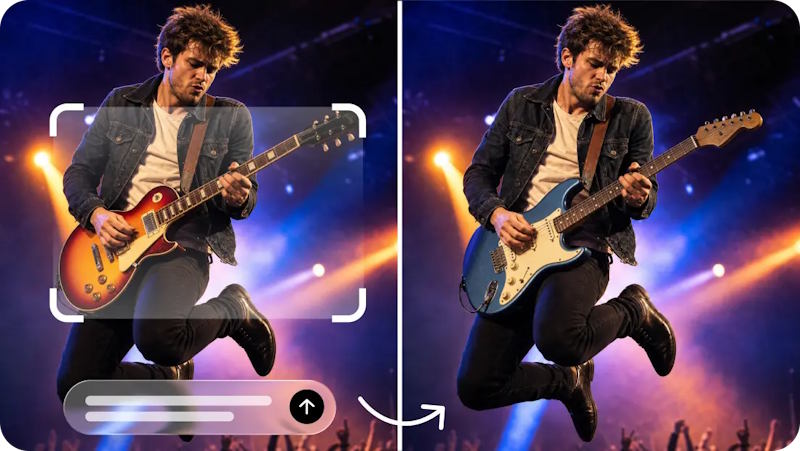
While an animated poster brings more movement to the artwork that already exists, a teaser builds up the event’s atmosphere and identity over time. A countdown clip is designed to highlight the date, while a complete trailer can have several scenes, performances, and announcements. Anticipation is achieved through selective reveals, lighting, framing, and pacing in an effective teaser. Electronic concerts could have pulsing lights, and classical concerts could be enhanced by restrained camera movements. Dynamic lighting and dramatic compositions can convey energy at rock and hip-hop shows. This is where Dreamina AI video generator helps, converting static promotional video scenes with Image to Video. Essential information should be readily available, with the artist, event identity, and announcement still being clearly identifiable.
Prepare Concert Artwork Before Adding Motion
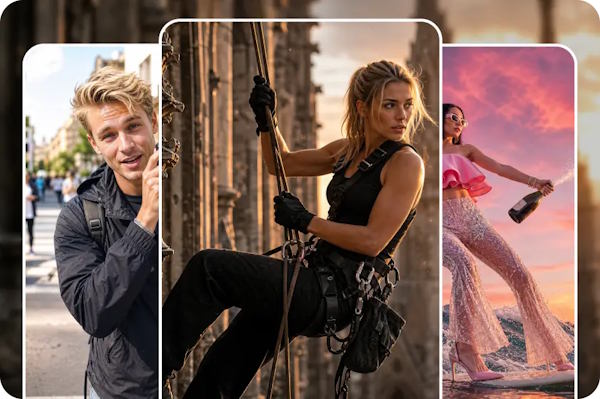
High-quality source art provides Dreamina AI with a better visual base to work from when creating animation. Select a familiar image of an artist, a venue photo or the official graphic of an event with a clear focal point. Test poster readability prior to posting, particularly if the artist name, date, and venue are all on the same poster. Divide up the background, performer, lighting, and decorative elements in mind and plan for movement accordingly. Use different visual effects for different types of music in an event, and don’t use the same effects on all events. Set up multiple compositions (vertical, square, widescreen) for various placements, one at a time. Ensure the branding is approved, and then check the frames to see if the lettering is distorted, logos are changed, or designs have been altered.
Steps to Build Hype for Concerts With AI Video Generator Teaser Animations
Step 1: Upload your concert visual and write a teaser prompt
- First, sign up or log in to Dreamina to begin animating your best concert image.
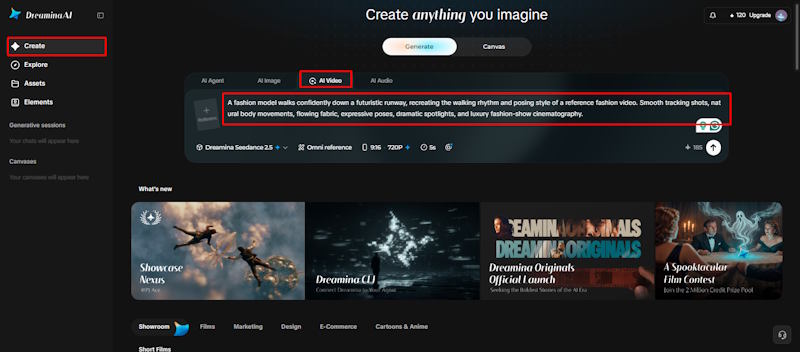
- Next, open the “Create” tab from the left menu and select the “AI video” option.
- Later, enter a detailed text prompt describing the look and feel of your concert teaser. Add details on video elements, theme, and concept, such as lights, crowds, and stage energy.
Step 2: Pick a model, set the format, and generate the teaser
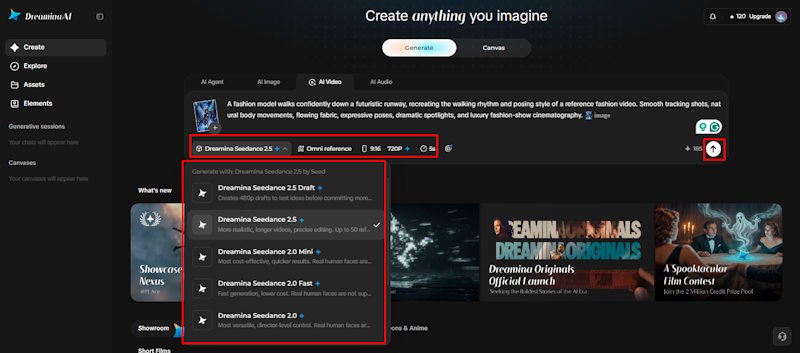
- Next, choose a model from the options present at the bottom of the dialogue box.
- You can choose models such as Dreamina Seedance 2.5 and Dreamina Seedance 2.0 for teasers. Dreamina Seedance 2.0 Fast, Dreamina Seedance 2.0 Mini, Dreamina Seedance 1.0, and others work well.
- Click “Omni reference” to guide the AI with multiple reference images for accurate video results.
- Then select the custom aspect ratio and resolution from the “Aspect ratio” and “Resolution” tabs.
- Finally, click the “Generate” tab to begin creating your concert teaser and wait a moment.
Step 3: Polish the teaser and export it for promotion
- If you dislike the results, use “Edit prompt” or “Regenerate” to refine the teaser.
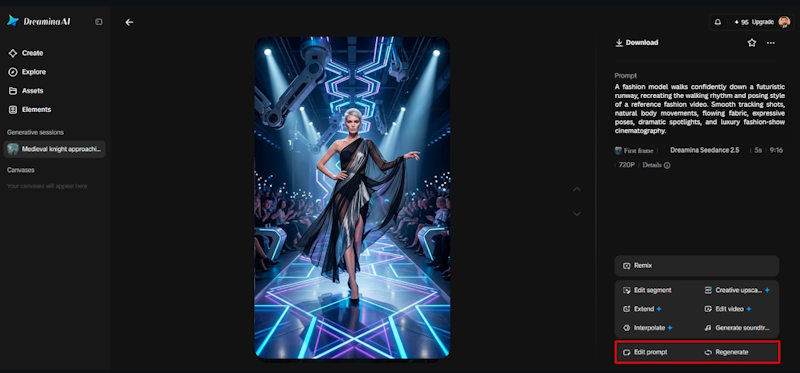
- You can also edit the generated video using the “Edit video” option for bigger changes.
- Moreover, you can use “Edit segment” to edit only a part of the video clip.
- Use “Extend video” to lengthen your teaser when the clip ends a bit too soon. Apply “Creative upscale” to improve your video quality before you share it with fans online.
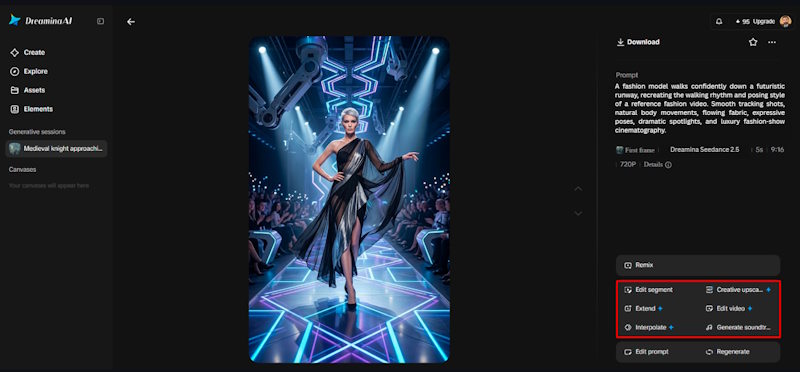
- Dreamina gives you complete freedom to edit your teaser video exactly the way you like.
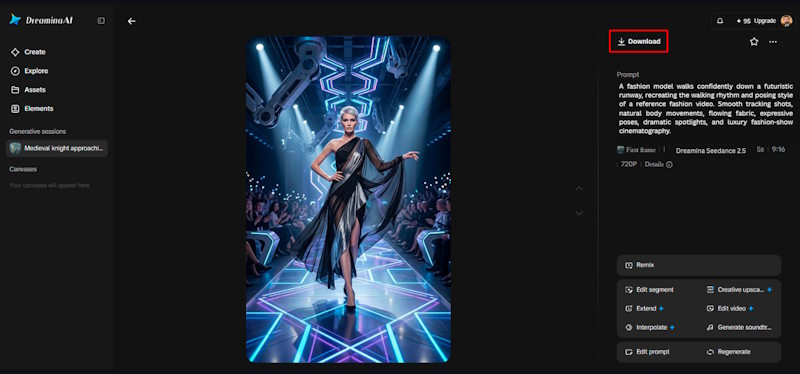
- Finally, click the “Download” tab present in the top right corner of the Dreamina interface. This saves the finished video file on your local device for easy sharing and promotion.
Design Motion That Builds Anticipation Instead of Revealing Everything
A good teaser gives away information bit by bit rather than showing everything. Start with light smoke, low lighting, or a slow camera movement throughout the facility. Introduce the performer with a reveal – one that is controlled and lets the audience know what’s happening. A slow motion towards the main artwork can provide a cinematic emphasis without too much motion. Dreamina AI can create moving lights and atmospheric effects, which can change the source details. Look for any unwanted inconsistencies in spotlights, crowds, instruments, and stage equipment. Make different versions that show the artist, venue, or the final announcement to change up the campaign and keep things interesting.
Create a Concert Teaser With a Clear Visual Sequence
Varying aspect ratios, lengths, and information priorities are needed for different placements. Vertical clips are great for many short-form social feeds, and square clips can be used across some social placements. Event pages, venue displays, and large promotional screens can all be displayed on widescreen screens. Dreamina AI is used to generate variations of existing artworks for announcements, lineup reveals, countdowns, and last-minute reminders. Before publishing, be sure to verify each platform’s current time limits, audio support, aspect ratio, and advertising requirements. Ensure event information continues to be legible on smaller screens and prevents the use of cropping critical edges. Views, shares, and ticket sales are unpredictable, but animated content can enhance presentation.
Adapt Teasers for Social Media and Event Promotion
Use artist portraits or performance photographs, logos or venue imagery with appropriate permission. Ensure that generated scenes do not suggest unsanctioned sponsorship, endorsements, or artist involvement. Look for generation artifacts on faces, hands, instruments, stage equipment, and lettering. Check event dates, ticket links, accessibility, and venue information with official sources. Review the exported video against the original artwork to see if there are any changes you don’t like.
Ensure music and other creative materials are used within the appropriate usage rights for the campaign. These checks ensure the accuracy of the promotion is maintained, and visual creativity is given a chance.
Review Branding, Rights, and Promotional Accuracy Before Publishing
Use artist portraits or performance photographs, logos, or venue imagery with appropriate permission. Ensure that generated scenes do not suggest unsanctioned sponsorship, endorsements, or artist involvement. Look for generation artifacts on faces, hands, instruments, stage equipment, and lettering.
Check event dates, ticket links, accessibility, and venue information with official sources. Review the exported video against the original artwork to see if there are any changes you don’t like. Ensure music and other creative materials are used within the appropriate usage rights for the campaign. These checks ensure the accuracy of the promotion is maintained, and visual creativity is given a chance.
Conclusion
Concert teasers are a mixture of recognizable artwork, planned movement, and brief messaging about the event. Dreamina AI can convert static promotional images into dynamic concepts that convey mood and excitement. Use good source images, move carefully, and check all of the images created. Check branding, rights, and event information before exporting platform-specific versions. Each teaser can be meaningful in the concert’s promotion if it is well-paced and has accurate details.