A B2B SaaS content team skipped the volume chase and spent three weeks building a pillar page around one buyer question: why does churn spike after onboarding. Within two months the page had earned backlinks from four industry newsletters and become one of the top three assisted paths to a demo signup. The keyword research tools they used mattered less than the question they started with. Links follow stories, not asks, and content built on a real buyer question earns attention that volume-sorted content rarely does.
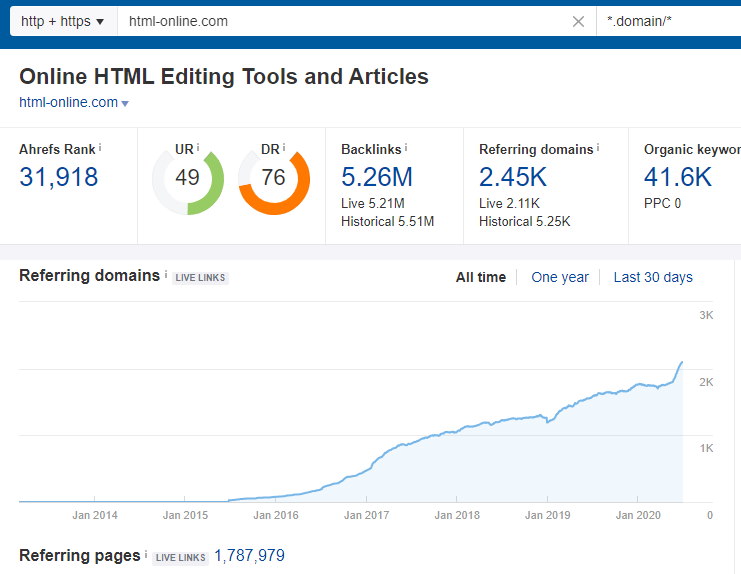
That’s the honest turn most vendors skip. Keyword research tools🕵🏼♂️ are marketed on database size, millions of terms, billions of rows, but a SaaS content team’s real problem is narrower: proving topical authority and covering the questions buyers ask before they type a query. SEO keyword research built around volume sorts optimizes for the wrong scoreboard when the real audience now includes AI systems summarizing answers, not just search engines.

That shift is not hypothetical. 68.94% of websites now receive some AI traffic, which means the authority signals and question coverage that used to feed rankings now feed AI answers too. A tool that only counts volume misses that entire layer.
Who this is for: In-house B2B SaaS content and marketing teams, typically 5 to 30 person marketing orgs, that own a content engine spanning pillar and cluster work plus product-led SEO. These teams report into demand generation and get judged on pipeline, not just traffic. It is not written for agencies buying keyword tools on a client’s behalf, or for solo operators running content alone.
What these teams need:
- Topical-authority mapping across pillars and clusters, not a flat keyword list
- Buyer-question coverage phrased the way prospects actually search and ask
- Intent and funnel-stage tagging so content maps to pipeline, not just traffic
- A competitor gap read on category terms rivals already own
- First-party query truth from data the team already controls
- Visibility into whether content is cited in AI answers, not just ranked
We checked each tool against six things: question data depth, intent tagging, topic-cluster tooling, export and API access, AI-visibility features, and current published pricing.
|
Rank |
Tool |
Why a SaaS team picks it |
Question/authority strength |
Pricing |
|
1 |
Research to brief, plus AI-answer visibility |
Intent tags, question ideas, AI Result Tracker |
Core $129/mo, Growth $279/mo |
|
|
2 |
Pillar and cluster planning |
Parent-topic clustering, deep index |
Lite $129/mo, Standard $249/mo |
|
|
3 |
Category-scale content ideation |
Topic Research plus Keyword Magic |
From $139/mo |
|
|
4 |
Buyer-question phrasing |
Autocomplete question mining |
Free, Pro $99/mo |
|
|
5 |
Triaging a content backlog |
Priority Score triage number |
Standard $99/mo |
|
|
6 |
First-party query truth |
Real queries you already rank for |
Free |
What Keyword Research Has to Do for a SAAS Content Engine
For a SaaS team, the job is not a keyword list, it is a topical authority map plus the questions buyers ask on the way to picking a category. A keyword research tool earns its place when it surfaces those buyer questions, tags intent and funnel stage, and shows where the category’s authority gaps sit.
The asset has to answer the question a buyer is actually asking, not the question that scored well in a spreadsheet. So the keyword work starts from questions and intent, not a volume column. You are mapping how someone moves from “what is this category” to “which vendor solves it,” and every gap in that path is a content brief waiting to happen.
That is why the right keyword research software treats a search term as a signal about a buyer’s stage, not just a traffic estimate. Volume tells you interest exists. It never tells you what the buyer needed to hear next.
The 6 Tools, Judged for a B2B SAAS Content Team
1. SE Ranking »
The research-to-production keyword tool that also tracks where a SaaS brand shows up in AI answers, not just where it ranks in Google.
Why it works for a B2B SaaS content team: a 5.5 billion keyword database with intent tagged at ingest, question and long-tail idea generation, a Keyword Research to Content Editor handoff so a keyword becomes a brief, and AI Result Tracker showing brand presence across ChatGPT, Gemini, Perplexity, AI Overviews and AI Mode.
Standout feature: the AI-visibility layer. A SaaS team can see whether its category content is actually being cited in AI answers, not just where a page sits in traditional results. That distinction matters more each quarter, since buyers now research SaaS categories inside AI tools before they ever open a search engine, and a page that ranks well can still be invisible there.
✅Pros:
- Intent tags and question ideas in one pull
- Content Editor handoff takes a keyword to a brief without re-keying
- AI Result Tracker covers five AI engines in one view
- API and MCP included on every plan
👎Cons:
- Keyword data is Google-only
- Historical keyword data is plan-gated: Core gets 6 months
- Single-discipline depth trails a pure specialist tool
Pricing: Core $129/mo ($103.20/mo billed annually); Growth $279/mo ($223.20/mo billed annually). API and MCP included in every plan.
Honest read: If your team is stitching keyword research, briefs and AI-visibility checks across three tabs, this is the one that puts them in one workflow. It won’t out-depth a pure keyword specialist, and it only pulls Google data, so pair it with rank checks elsewhere if you need cross-engine SERP coverage. For most in-house SaaS content teams, that tradeoff is worth it.
2. Ahrefs »
A deep keyword index paired with parent topic clustering, built for teams mapping pillar pages and their supporting cluster content.
Why it works for a B2B SaaS content team: parent topic clustering turns a broad category into a pillar and cluster map in minutes, not a week of spreadsheet work. That structure is the backbone of a serious topical authority play for any SaaS product competing on more than one keyword.
Standout feature: the combination of Keywords Explorer’s index depth and a backlink view in the same workspace. A content team can plan out a full cluster, then check which of those pages are the ones actually pulling in links, so editorial time goes toward topics worth defending.
✅Pros:
- Parent topic clustering for pillar planning
- Large keyword index
- Solid SERP and position history
👎Cons:
- API only on higher tiers
- Exports capped on the entry plan
- Buyer question data is thinner than a dedicated question tool
Pricing: Lite $129/mo; Standard $249/mo (verify current tiers).
Honest read: strong for cluster planning and content built to earn links on its own merit. Pair it with a dedicated question tool if your real gap is the phrasing buyers actually type.
3. Semrush »
Category-scale content ideation built for teams that need breadth over depth, with a keyword layer wide enough to seed an entire editorial calendar at once.
Why it works for a B2B SaaS content team: Topic Research plus Keyword Magic turns a seed category into a wide ideation map, useful when a content calendar has to cover a whole category rather than a single product line.
Standout feature: a very large keyword database and Topic Research that suggests subtopics and questions to build out a cluster, letting a content lead move from category to draft outline in one sitting. The catch is that the API is a paid add-on, so any automation around it costs extra on top of the seat price.
✅Pros:
- Topic Research for content ideation
- Very large keyword database
- Wide toolset beyond keywords
👎Cons:
- API is a paid add-on
- Price climbs quickly
- Heavy for a lean SaaS team
Pricing: from $139/mo (plans restructured in 2026; verify current tiers).
Honest read: a lot of tool for a lean team. Worth it if you are covering a whole category and will use the wider suite, not just the keyword layer.
4. AnswerThePublic »
A question-mining tool that surfaces the exact phrasing buyers use before they search a category term, built around autocomplete and question data rather than keyword volume.
Why it works for a B2B SaaS content team: it surfaces the exact questions prospects type, the phrasing a SaaS FAQ, comparison page or pillar intro should answer word for word, which is where AI answers pull from.
Standout feature: autocomplete and question mining visualized by prefix (who, what, how, versus), so you see intent phrasing and buyer language rather than a volume column. It is a discovery tool, not a full research platform, and best treated as the first pass before you scope a brief.
✅Pros:
- Fast question discovery
- Visual prefix map of buyer language
- Free tier to trial the approach
👎Cons:
- No reliable volume on the free tier
- Not a full research platform
- Shallow metrics beyond questions
Pricing: Free (3 searches/day); Starter $20/mo ($13.33/mo billed annually); Pro $99/mo ($66/mo billed annually).
Honest read: I keep it as the question layer beside a proper research platform. It will not tell you how hard a term is to win, but it will tell you what a prospect actually wants answered, which is half the brief written for you.
5. Moz Pro »
A lean keyword tool built around one prioritization metric, aimed at teams that want a shortlist, not a spreadsheet.
Why it works for a B2B SaaS content team: Priority Score condenses volume, difficulty and CTR into one number, so a content lead can triage a backlog into a shortlist without a spreadsheet argument.
Standout feature: Keyword Explorer and its Priority Score turn a long list into a ranked shortlist in one pass. The index is smaller than the market leaders, so it functions as a triage tool more than a discovery engine. For a content team drowning in candidate topics each quarter, that single ranked number does the sorting a person would otherwise do by hand.
✅Pros:
- Priority Score gives one triage number
- Clean SERP analysis
- Approachable for a small team
👎Cons:
- Smaller keyword index
- Limited automation
- Scale needs add-ons
Pricing: Standard $99/mo ($79/mo billed annually); Starter $49/mo.
Honest read: reach for Moz Pro when the problem is too many candidate topics and not enough hours to sort them. It will not be your widest discovery net, but it will end the debate over what to write next.
6. Google Search Console »
The free first-party record of the exact questions buyers already reach you with, straight from Google’s own index.
Why it works for a B2B SaaS content team: it shows the real queries prospects already use to find you, which is the truest seed for the next pillar and a check on what the paid tools estimate.
Standout feature: real queries, impressions, clicks and average position for properties you own, plus a Search Analytics API to pull it on a schedule. It is not an ideation database: your properties only, no market-wide volume.
✅Pros:
- First-party query truth
- Free for verified properties
- Search Analytics API for automation
👎Cons:
- Your properties only
- No market-wide or competitor volume
- Trailing 16-month window
Pricing: Free.
Honest read: not a research database, but the first-party layer every SaaS content program should read before it plans the next quarter, since it is the only source that confirms what already works before you guess what might.
The Decision Guide: Which to Pick for Your Stage
If you are an early-stage B2B SaaS team building your first topical authority, start with SE Ranking. Keeping research, intent signals and AI-answer visibility in one workspace keeps a small team from stitching together three tabs to make one call.

Scaling teams facing pillar and cluster depth should lean on Ahrefs or Semrush for topic clustering. Both surface the parent-child keyword relationships that keep a growing content library from cannibalizing itself.
If buyer-question phrasing is your real gap, run AnswerThePublic alongside your main research platform. It is not a replacement, it is a phrasing supplement for FAQ sections and comparison pages.
Backlog drowning in candidate topics with no order? Moz Pro’s Priority Score triages fast, weighting difficulty against relevance so your editorial calendar is not a guessing game.
Whatever the stage, wire in Google Search Console. It is the one source that shows what your own domain already ranks for, no modeling required.
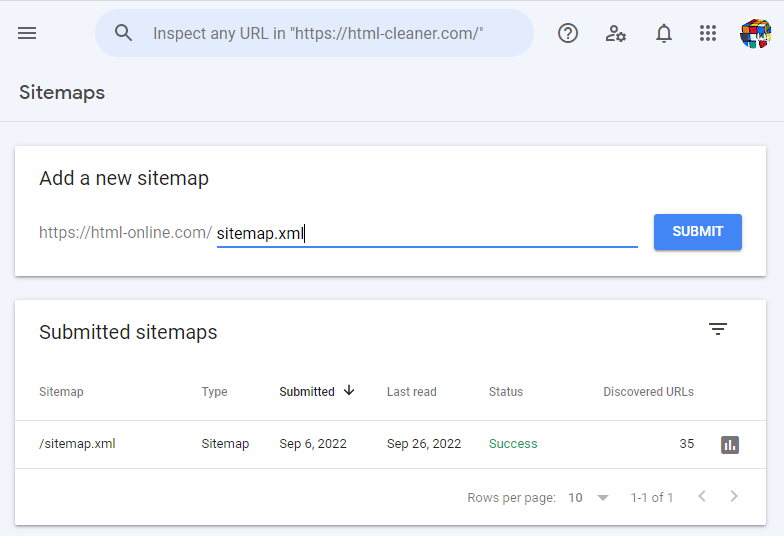
Make sure to submit your XML sitemap toGoogle Search Console
Among the best keyword research tools for seo, or any keyword research tools for a B2B SaaS content team, the pick matters less than the habit. Authority gets earned over quarters of consistent targeting, not by chasing a bigger number in a volume column.
FAQ
What keyword data does a B2B SaaS content team actually need?
Intent and funnel stage matter more than raw volume: is the buyer comparing options, researching a category, or already evaluating vendors. You need the exact question phrasing buyers use, mapped against a topical-authority view of the category. Volume still helps with prioritization, but the win comes from covering a category’s questions completely, then backing that coverage with your own first-party performance data.
How do you find the questions buyers ask before they search?
Start with autocomplete and question-based keyword tools to capture the phrasing buyers actually type. Then pull Search Console for the questions people already land on your site asking. Finally, sit in on a few sales calls or check the call notes for recurring questions prospects raise. The resulting asset should answer those questions in the same words, not a rephrased version.
Where does Search Console fit alongside a paid keyword tool?
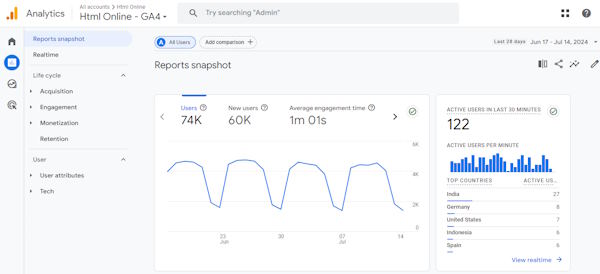
A paid keyword tool estimates the whole market: what people search, how often, and who ranks. Search Console tells you the truth about your own domain, including queries you already get impressions for but rank poorly on. Use the paid tool to discover and size opportunities, then use Search Console to confirm which ones you are already close on and where the real gaps sit.
How does keyword research feed content that earns AI citations?
AI answer engines pull from pages that clearly and directly answer one specific question, backed by structured, well-sourced information. Keyword research built around buyer questions and intent, rather than a volume-sorted list, points you toward the pages worth building this way. From there, a visibility tracker shows you whether those pages actually get cited in AI answers over time.