Some computer tasks do not need another app. If you only want to resize an image, convert a file, check some code, or read text aloud, opening a website may be enough.
Text to speech is a good example. Modern online tools can turn written text into spoken audio inside a browser. You can paste in a paragraph, choose a voice, listen to the result, and finally download the audio. No program to install and no need to learn complicated audio software.
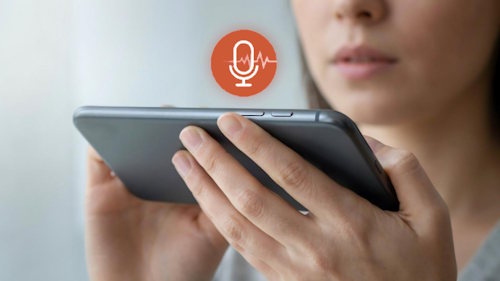
Text to speech is useful for people who only need it from time to time. It can also help writers, teachers, video creators, people with reading difficulties, and anyone who would rather listen to a long piece of text than to read it.
Why use text to speech in a browser?
Browser tools are popular because according to the International Telecommunication Union, about 6 billion people used the internet in 2025. That was roughly 74% of the world’s population. That’s the most accessible software and for many of those people, a browser is already the main place where work gets done.
Using online text to speech is a bit like using a calculator website instead of installing a full math program just to divide two numbers. If the job is small, the simpler tool often makes more sense.
You also avoid some common problems that come with installed software. There are no large downloads, fewer compatibility issues, and usually nothing to update yourself.
|
Browser-based text to speech |
Installed software |
|
Starts in a browser |
Usually needs installation |
|
Good for quick or occasional jobs |
Better suited to frequent production work |
|
Works across many devices |
May depend on the operating system |
|
Processing may happen online |
Some programs can work fully offline |
|
Little setup is needed |
May offer more advanced controls |
Text to speech sounds much better than it used to
Older computer voices were easy to recognize. Words had strange pauses, sentences sounded flat, and names were often pronounced badly. They were useful for basic tasks, but few people would have chosen them for a video or presentation.
That has changed. Newer speech systems can produce more natural rhythm, pauses, and tone. If you are curious about how the technology works, Wikipedia’s article on speech synthesis gives a useful history of computer-generated speech.
Online services also give users more choice like a browser-based text to speech tool can let you paste text, select a voice, and create spoken audio without installing desktop software.
The quality still depends on the service and the text you provide. Names, abbreviations, technical terms, and unusual punctuation can cause mistakes. It is worth listening to the whole recording before publishing it.
What can you use it for?
You do not need to be a professional voice actor or video editor to find a use for text to speech. Some of the most practical uses are fairly ordinary:
- Turn an article or document into audio so you can listen instead of read. 🎧
- Create a temporary voiceover while editing a video.
- Listen to your own writing to catch missing words and awkward sentences.
- Create narration for a presentation, tutorial, or simple project.
- Hear text in another language and check how words may sound.
- Provide another way to access written information for people who find reading difficult. 👂
Writers may find the third example especially useful. Reading your own paragraph five times does not always reveal a mistake because your brain knows what you meant to write. Hearing the same paragraph spoken aloud can make an awkward sentence obvious.
Text to speech and accessibility
Audio can also make some content easier to use. The World Health Organization estimates that at least 2.2 billion people worldwide have some form of near or distance vision impairment.

With recent legislative changes, we may see big changes in web development accessibility going forward
Text to speech can be helpful in this area, but it should not be confused with proper website accessibility. People who are blind or have low vision often use screen readers, which do much more than read paragraphs aloud. A screen reader can identify headings, links, buttons, form fields, and other parts of a page.
The W3C Web Accessibility Initiative has detailed information for developers and website owners who want to make web content more accessible ¯\_(ツ)_/¯
Think about privacy before pasting text
There is one important difference between an online tool and software that works only on your computer. An online service may need to send your text to a remote server before it can create the audio.

That is usually fine for a public blog post, video script, or school project. It deserves more thought if the text contains private customer data, passwords, unpublished business information, medical records, or other sensitive material. 🔒
Check the service’s privacy policy if you are handling information that should not leave your computer.
Be careful when using real people’s voices
Modern speech tools can sometimes copy or closely imitate a person’s voice. That creates uses that ordinary computer speech never had, but it also creates obvious risks.

If a voice belongs to a real person, get permission before cloning or impersonating it. Do not use synthetic speech to make someone appear to say something they never said.
For ordinary narration, choosing one of the standard voices offered by a service is much simpler.
When installed software still makes sense
Online text to speech is convenient, but it is not always the best choice.
If you create hours of narration every week, need detailed control over audio files, or must work without an internet connection, dedicated software may be better. The same is true when company rules do not allow documents to be sent to outside services.
For a quick voiceover, proofreading session, or occasional audio file, installing a large program may be unnecessary. In those cases, opening a browser and pasting the text can be the easier route.
Frequently Asked Questions
Do I need to install anything to use online text to speech?
Usually not. Browser-based services run from a website. Some may offer optional apps or browser extensions, but the basic text-to-speech feature can often be used without them.
Can I download the generated speech?
Many services allow audio downloads, often as MP3 or another common audio format. Download options and limits vary, so check the service before starting a large project.
Is online text to speech free?
Some services offer free use with limits on the amount of text, number of generations, available voices, or downloads. Paid plans usually raise those limits or add more features.
Can text to speech replace a screen reader?
No. A text-to-speech generator mainly turns supplied text into audio. A screen reader is an accessibility tool designed to help a user operate a computer or website, including menus, buttons, links, forms, and other interface elements.
Can I use generated speech in videos?
Often, yes, but the license depends on the service and plan you use. If the video will be used commercially, check the provider’s terms before publishing it.
Does text to speech work in different languages?
Many modern services support several languages and accents. Quality can vary between languages, so test the voice with a few sentences before creating a long recording.
A useful tool for the right job
Online text to speech does not need to replace professional recording software. Its main advantage is much simpler: sometimes you have a piece of text and want to hear it spoken.
A simple browser tool can do the job with very little setup. Paste the text, pick your voice, listen to the result, and download it. For occasional use, that may be all the software you need.