The increasing tendency to convert sketchy drawings into smooth digital images has redefined the development of ideas in the contemporary creative process.
𖡎ᝰ✍🏻 » 🖼️
This change is advantageous to artists, designers, students and creators who desire straightforward visual images without the complicated manual processes. CapCut facilitates this procedure by using powerful AI models which translate initial ideas into high-quality images that can be added to portfolios, lessons, and creative planning. This web-based system enables editing and rendering in real-time which contributes to the urgency at the initial ideation stage.
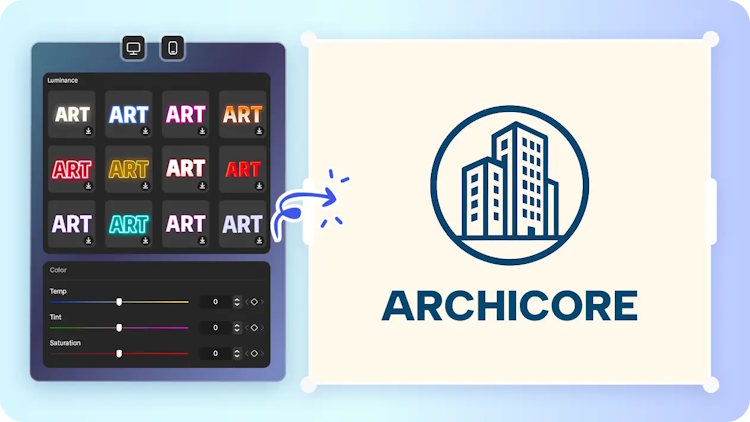
The way AI Improves the Sketch-to-Render Process
AI reinforces the sketch-to-render pipeline, identifying linework, form and style hints with significant precision. The system analyses every stroke and relies on visual context to create visible depth, enhanced lighting, and a more accurate texture work. This method assists each drawing in becoming a smoother and more expressive drawing. Artistic directions are also vastly open to AI, including realistic shading, as well as stylized effects. Numerous artists take advantage of this versatility and experiment with different ideas without having to re-trace their sketches or re-do significant elements.
How to Sketch Optimally to Be Converted by AI
A clean scan or photo assists the model to know the proper shapes and proportions. Even lighting and clear lines help to avoid confusion and assist your design in its real meaning. Reference specifications also assist the render to be in line with your objectives. In terms of materials, mood, and realism levels, brief instructions will result in more refined outputs. These inputs serve to correct the texture, tones or structural feature applied on CapCut during generation.
Selecting the Appropriate AI Model on Render Styles
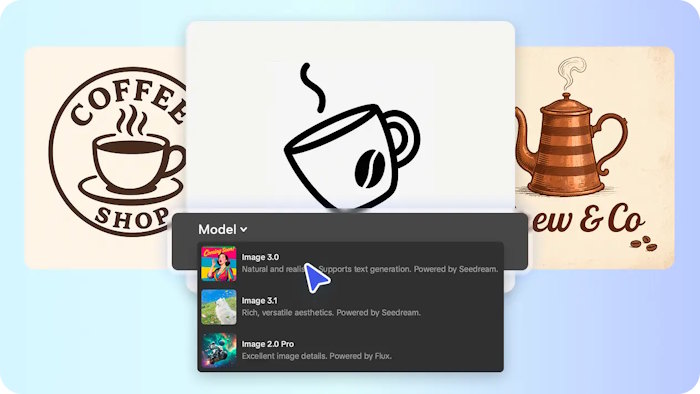
CapCut is a rendering with a variety of models, and the right choice determines the outcome. Seedream 4.0 is compatible with hyper-realistic images, and so it can be used to showcase products, realistic characters, or scenery. Image 3.1 dwells upon stylized or fantastical interpretations that are effective in fantasy art or in expressive visual experiments.
Image 2.0 pro generates simplified conceptual images that are perfect in quick ideation or initial project planning. In making the choice of which to use, think about your result and the refinement that is needed. This workflow becomes even more effective with an AI image generator, which enhances clarity while preserving the original artistic intent.
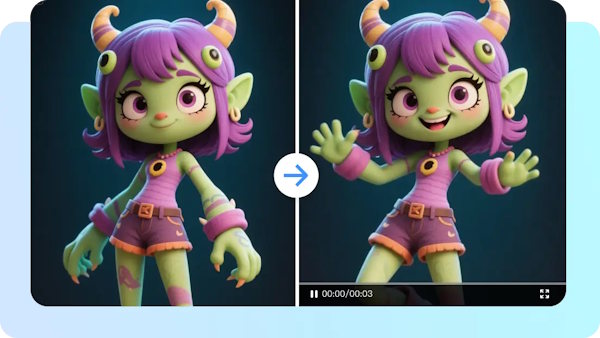
Steps to Turn Sketches Into Renders Using an AI Image Generator Smartly
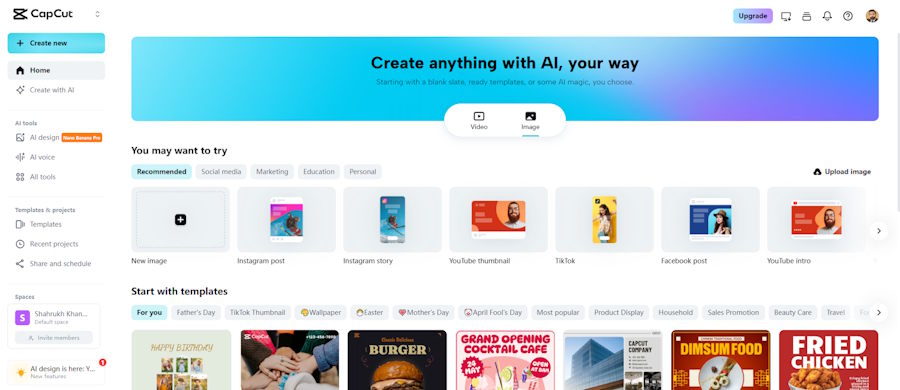
Step 1: Launch the Sketch Conversion Space Open the CapCut online image editor and move to the “Image” tab at the top. Click “New image” to access the main editing environment where sketches transform into polished renders.
Step 2: Apply AI Model and Proportions Enter a detailed prompt describing the final rendered look of the sketch. Choose between Seedream 4.0, Image 4.0, Image 3.1, or Image 2.0 Pro based on realism needs. Select the appropriate aspect ratio for digital or print output. Upload the original sketch as a reference image from the device or cloud space to guide the rendering accuracy.
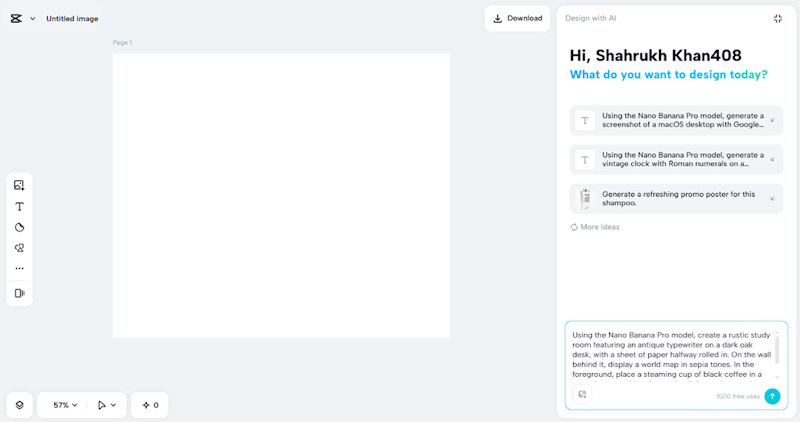
Step 3: Generate the Render and Refine Details Press the “Send” button after setting everything. The AI interprets both prompt and sketch to produce a refined render in seconds. Tools for color correction, AI upscaling, and background replacement help enhance depth and clarity. Additional elements, text, shapes, and stickers help finalize the composition.
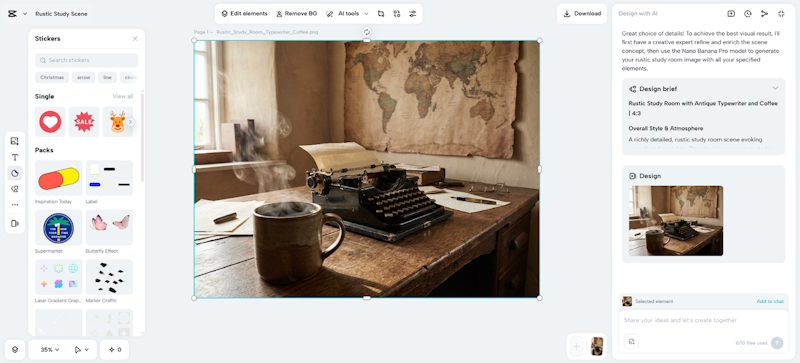
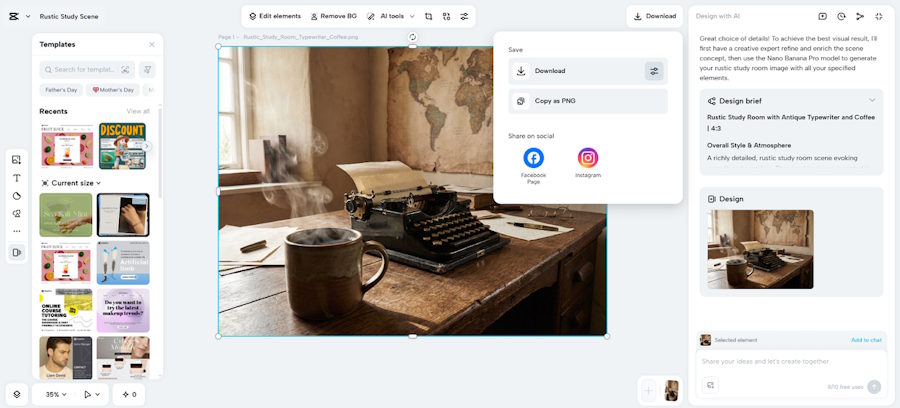
Step 4: Export the Rendered Output Click the “Download” tab located at the top right once the render looks complete. From the filters icon next to it, select the required file format and quality level. You can also copy the rendered image as PNG directly to the local device for further use.
Improving Sketch-Based Renders with CapCut
The CapCut has powerful color-grading features that define the atmosphere of a render. These controls allow delicate tones or vivid palettes, as you wish. Inbuilt up scaling enhances sharpness and texture without compromising the visual integrity of the sketch.
AI-enhancement reinforces edges, enhances depth and sharpens shadows to a more realistic finish. Background controls and lighting changes demonstrate new possibilities of visual narration. These features are widely used by the creators who are trying to experiment with various ideas before deciding on a final design approach.
Innovative Uses of Sketch-to-Render Transformations
Sketch-to-render processes are used in character design, architecture, product development, and fantasy art. Creators developing a complete visual identity can also pair these rendered concepts with an AI logo maker to generate matching branding assets in minutes. This technique is frequently applied by students and artists who need to experiment with shapes, silhouettes, and color variations without having to redraw all of their ideas. Game designers transform rough concepts into level design or animation pipeline mockups. Fast visual explanations also help educators in the lectures or workshops.
The CapCut reinfoces such tasks with rapid rendering, simplified editing, and simplified incorporation of reference assets. In the middle of such creative stages, some artists also work with tools like an AI logo generator to test brand ideas while shaping broader visual concepts.
Advice on the best way to find the most realistic renders
Reference images are used to direct the AI to your desired texture, tone, or structural quality. Obvious images of materials, light, or other works of art enhance precision. Immediate refinement is also a necessity. A slight change in description can adjust reality, fix proportions or enhance clarity in the air. When experimenting with stylized or realistic directions, the testing of alternative models facilitates alternative interpretations. CapCut allows model switching to be done quickly and this promotes experimentation in early design stages.
Conclusion
Turning sketches into clean renders has become a smart, efficient process of artists and creators in most disciplines. CapCut offers a flexible platform upon which sketches transform into powerful images suitable to presentation or planning. Its model choices, editing capabilities, and rendering transparency assist in making ideas into refined productions with actual inventive authority. It allows exploration, quicker iteration, and more visual storytelling in all projects in this manner.