WordHTML is our side-project, built on the same core as our long-trusted, free online HTML converter and editor. Last month we made a significant update focusing on simplicity, speed, and seamless handling of images, based on our customers’ feedback The new drag-and-drop feature makes it easier for our users to open documents, and convert content between Microsoft Word and clean, production-ready HTML and vice-versa.

Click the image to visit WordHTML
What’s New?
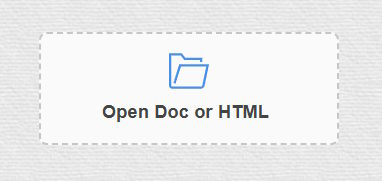
- Drag-and-drop import for DOCX and HTML: Open a document by dropping it onto the “Open Doc or HTML” area, or click to browse. No installs, no plugins.
- One-click downloads:
- HTML: Download a tidy
.htmlfile instantly. - ZIP with images: If your content contains images, it automatically downloads a ZIP containing
index.htmland animages/folder, with the images refererenced accordingly. - DOCX: Export your formatted content back to a
.docxfile in one click. This allows you to edit Word documents online, without the need to install Microsoft or Open Office desktop programs.
- HTML: Download a tidy
- Smart image handling: When converting from DOCX, embedded images are inserted as data URLs in the HTML for a live preview. If you choose the HTML download and images are present, the editor extracts those inline images into separate files inside an
images/folder and rewrites the HTML to reference them – ideal for CMS uploads and static sites. This feature might make the source code very long if the images are uncompressed which might even freeze your browser, but we didn’t want to limit anything. - Minor facelifts: The main fetures remained unchanged. Remove inline styles, classes/IDs, empty tags, comments, and more with a single “Clean” action or apply tools one-by-one. A cleaner source editing with the HTML view using a modern syntax-highlighted code editor with line numbers, tag matching.
How It Works
📂 Open File: Drag and drop a .docx or .html file onto the drop zone (or click it).
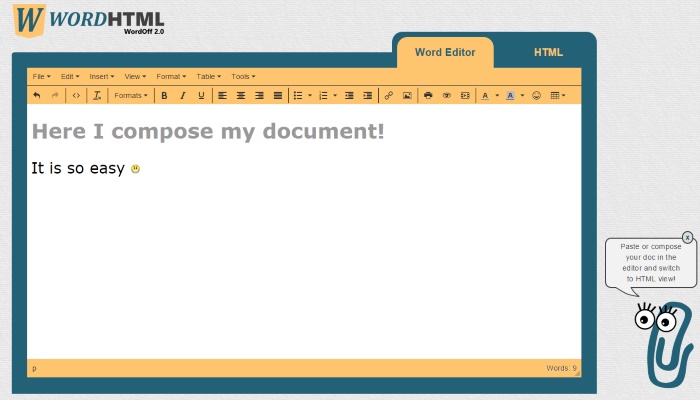
✏️ Edit: Switch between Word and HTML tabs to compose visually or fine-tune the markup.
💾 Download: Use the HTML or Docx buttons to export your work under the WYSIWYG editor. If images are embedded, the HTML button offers a ZIP containing all files, including images.
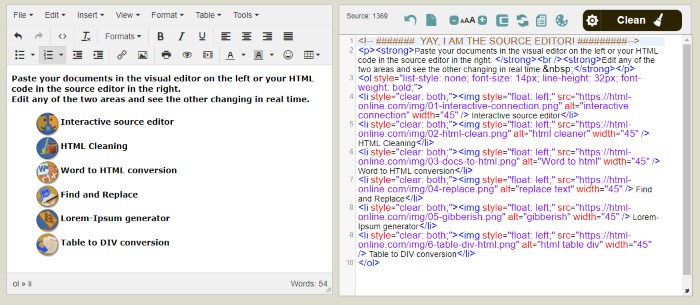
Whether you publish blog posts, documentation, landing pages, or newsletters, WordHTML accelerates your workflow. This free online tool runs entirely in your browser, so there’s nothing to install and no data leaves your device during editing and export.
Technical details of the latest upgrade
The editor loads feature libraries only when they are needed, keeping the initial page fast. A small helper dynamically injects a <script> tag once per source, so clicking an export button fetches the corresponding library on demand without blocking the main UI.
DOCX → HTML with mammoth.js 🦣
- Parsing in the browser: mammoth.js reads the dropped
.docx(ArrayBuffer) and converts it into semantic HTML, preserving headings, lists, links, basic formatting, and tables. - Image handling: Images embedded in DOCX are read as Base64 and inserted into the HTML as Base64-encoded data URLs for a faithful, self-contained preview.
- Fallbacks: If a DOCX image is linked externally or missing, a tiny transparent placeholder is used and a console warning is logged so users can review the source.
HTML download and ZIP packaging with JSZip 🗜️
- Auto-detect inline images: When exporting HTML, the editor scans for
data:image/*;base64,...sources. - Extract and rewrite: Each inline image is decoded, written into an
images/folder inside a ZIP (with proper file extensions), and the HTML is rewritten to reference those files. - Ready to publish: The ZIP includes
index.htmland animages/directory, making uploads to CMSs and static hosts straightforward.
HTML → DOCX with html-docx.js
- 🚀 Visual export: The content from the visual editor is wrapped into a minimal HTML document and converted to a Blob via
html-docx.js, then offered as a.docxdownload. - ✨ Formatting: Common formatting (paragraps, headings, lists, inline styles) is preserved; heavy styling is intentionally minimal to keep files portable.
Privacy, performance, and reliability
- Browser-only: Conversion and packaging happen locally in the browser; documents are not uploaded to a server during editing or export.
- Async UX: Long-running tasks (DOCX parsing, ZIP generation) are promise-based to keep the UI responsive.
- Fallbacks: If a local export library isn’t present, the editor can load a verified CDN build to ensure the feature still works.
Check it out!
The updated Word ↔ HTML editor is available, just like before for the past 10 years, with the new features, free of charge, at WordHTML.com.